

Programs worth typing
Eight finished programs. Type them in, run them, then change the line each one suggests at the end and run it again — that last part is where the learning actually happens.
All of them run on an ACE exactly as printed.
A guessing game
The machine thinks of a number and you close in on it.
10 PRINT "I AM THINKING OF A NUMBER FROM 1 TO 100"
20 N = INT(RND(1) * 100) + 1
30 T = T + 1
40 PRINT "GUESS"; T;
50 INPUT G
60 IF G < N THEN PRINT "TOO LOW" : GOTO 30
70 IF G > N THEN PRINT "TOO HIGH" : GOTO 30
80 PRINT "GOT IT IN"; T; " GUESSES"
RUN
I AM THINKING OF A NUMBER FROM 1 TO 100
GUESS 1? 50
TOO LOW
GUESS 2? 75
TOO HIGH
GUESS 3? 62
TOO HIGH
GUESS 4? 56
TOO HIGH
GUESS 5? 52
GOT IT IN 5 GUESSES
OKLine 20 picks the number: RND(1) gives something between 0 and 1, multiplying by 100 and taking INT gives 0 to 99, and the + 1 makes it 1 to 100.
It picks the same number every time
RND starts from the same place whenever the ACE is switched on, so the first game after a cold start is always the same. Add a line that counts while it waits for a keypress and use that as a seed — RND(-S) sets the starting point — and no two games will be alike.
Now change this: make it count down from 7 guesses and lose the game at zero.
A times table
10 PRINT "THE SEVEN TIMES TABLE"
20 FOR N = 1 TO 12
30 PRINT N; " X 7 ="; N * 7
40 NEXT N
RUN
THE SEVEN TIMES TABLE
1 X 7 = 7
2 X 7 = 14
3 X 7 = 21
4 X 7 = 28
5 X 7 = 35
6 X 7 = 42
7 X 7 = 49
8 X 7 = 56
9 X 7 = 63
10 X 7 = 70
11 X 7 = 77
12 X 7 = 84
OKNow change this: ask which table with INPUT instead of fixing it at 7.
A tune
A melody in DATA, played by four lines that don't know what tune it is.
10 VOL 15
20 PRINT "TWINKLE TWINKLE"
30 READ F, D
40 IF F = 0 THEN 80
50 IF F > 1 THEN SOUND 1, F, D
60 IF F = 1 THEN PAUSE D
70 GOTO 30
80 PRINT "THE END"
90 DATA 262,20, 262,20, 392,20, 392,20, 440,20, 440,20, 392,40
100 DATA 1,10, 349,20, 349,20, 330,20, 330,20, 294,20, 294,20, 262,40
110 DATA 0,0
Each pair in the DATA is a frequency and a duration. 0, 0 ends the tune, and a frequency of 1 means a rest — line 60 turns it into a PAUSE instead of a note.
Now change this: put a second verse in line 105 and watch how little of the program you have to touch.
A bouncing ball
10 CLS
20 X = 1
30 D = 1
40 FOR T = 1 TO 40
50 LOCATE 12, X
60 PRINT "O";
70 PAUSE 3
80 LOCATE 12, X
90 PRINT " ";
100 X = X + D
110 IF X > 38 THEN D = -1
120 IF X < 1 THEN D = 1
130 NEXT T
140 LOCATE 12, X
150 PRINT "O";
Draw, wait, erase, move, repeat. Lines 110 and 120 turn it round at the edges by flipping D between 1 and -1.
Now change this: add a Y that moves as well, so it bounces around the whole screen instead of along one line.
What this machine has
10 H = PEEK(781)
20 PRINT "THIS ACE HAS"
30 PRINT
40 IF H AND 128 THEN PRINT "VIDEO"
50 IF H AND 64 THEN PRINT "SOUND"
60 IF H AND 32 THEN PRINT "KEYBOARD AND JOYSTICKS"
70 IF H AND 16 THEN PRINT "SERIAL"
80 IF H AND 8 THEN PRINT "STORAGE"
90 IF H AND 4 THEN PRINT "CLOCK"
100 IF H AND 3 THEN PRINT "BANKED RAM"
110 PRINT
120 PRINT "FREE MEMORY"; FRE(0)
One byte at address 781 holds a bit for every card the machine found at switch-on. This asks it, and prints the answer in English.
Now change this: make it print HW= and the byte in hexadecimal with HEX(), so it matches what MEM shows.
A shopping list
10 PRINT "SHOPPING LIST"
20 PRINT
30 READ I$
40 IF I$ = "END" THEN 80
50 N = N + 1
60 PRINT N; ". "; I$
70 GOTO 30
80 PRINT
90 PRINT N; " THINGS TO BUY"
100 DATA "BREAD", "MILK", "SOLDER", "COFFEE", "END"
The "END" on line 100 is what stops it — a sentinel, so the program doesn't need to know how long the list is.
Now change this: add prices as a second item in each DATA pair and total them up.
A file browser
10 PRINT "FILES ON THIS DISK"
20 PRINT
30 DIR
40 PRINT
50 PRINT "TYPE A NAME TO LOAD IT, OR JUST ENTER";
60 INPUT F$
70 IF F$ = "" THEN PRINT "NOTHING LOADED" : END
80 LOAD F$
Six lines that list the memory card and load whatever you name. LOAD replaces the running program with the one it loaded, so this is a launcher — the last thing it does is hand over.
This is the one program on the page you need a real machine for: it reads a memory card, and the machines on this page have no card in the slot.
Now change this: SAVE "MENU" it, and put it on every card you own.
Treasure grid
The last one, and the biggest. It uses an array for the map, a subroutine to draw it, INPUT for the digs, IF to decide, and RND to hide the treasure.
10 PRINT "TREASURE GRID"
20 PRINT "FOUR ROWS, FOUR COLUMNS, THREE DIGS."
30 PRINT
40 DIM D(16)
50 T = INT(RND(1) * 16) + 1
70 FOR G = 1 TO 3
80 GOSUB 500
90 PRINT "DIG"; G; " - ROW";
100 INPUT R
110 PRINT "DIG"; G; " - COLUMN";
120 INPUT C
130 P = (R - 1) * 4 + C
140 IF P < 1 OR P > 16 THEN PRINT "OFF THE MAP" : GOTO 200
150 D(P) = 1
160 IF P = T THEN GOTO 300
170 PRINT "NOTHING THERE"
180 PRINT
200 NEXT G
210 PRINT "OUT OF DIGS. IT WAS AT SQUARE"; T
220 END
300 GOSUB 500
310 PRINT "TREASURE. FOUND IN"; G; " DIGS."
320 END
500 FOR Y = 1 TO 4
510 FOR X = 1 TO 4
520 Q = (Y - 1) * 4 + X
530 IF D(Q) = 0 THEN PRINT ". ";
540 IF D(Q) = 1 THEN PRINT "X ";
550 NEXT X
560 PRINT
570 NEXT Y
580 PRINT
590 RETURN
RUN
TREASURE GRID
FOUR ROWS, FOUR COLUMNS, THREE DIGS.
. . . .
. . . .
. . . .
. . . .
DIG 1 - ROW? 1
DIG 1 - COLUMN? 1
NOTHING THERE
X . . .
. . . .
. . . .
. . . .
DIG 2 - ROW? 3
DIG 2 - COLUMN? 1
X . . .
. . . .
X . . .
. . . .
TREASURE. FOUND IN 2 DIGS.
OK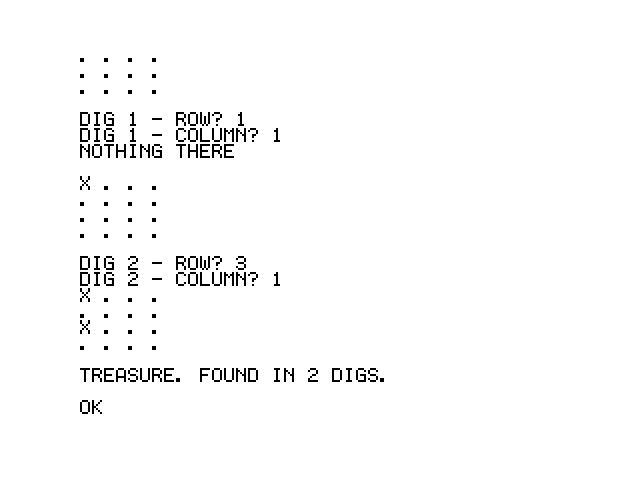
Line 130 is the one to study: P = (R - 1) * 4 + C turns a row and a column into a single number from 1 to 16, because arrays here have only one dimension. The drawing subroutine at 500 turns it back the other way.
Now change this: make the grid 5 × 5. You'll need to change the 16, the 4s and the loop limits — and if you do it right, nothing else.
Where next
- The reference — every keyword, with an example each.
- Cross-development — write these on a laptop, in a real editor.
- The assembly guide — for when BASIC isn't fast enough.