

Sound and video
The ACE has a screen 40 characters wide and 24 rows deep, 16 colors, and three voices of SID sound. Five statements reach all of it.
Clearing and placing
10 CLS
20 LOCATE 5, 10
30 PRINT "OVER HERE"
CLS clears the screen and puts the cursor top left. LOCATE row, column moves it: rows 0 to 23 down the screen, columns 0 to 39 across.
Row first, then column. Get them the wrong way around and you'll get ?ILLEGAL QUANTITY ERROR as soon as the column number goes past 23, which is at least a quick way to find out.
Color
COLOR foreground, background sets the colors for what you print next, each from 0 to 15:
| # | Name | |
|---|---|---|
0 | Transparent | |
1 | Black | |
2 | Medium green | |
3 | Light green | |
4 | Dark blue | |
5 | Light blue | |
6 | Dark red | |
7 | Cyan | |
8 | Medium red | |
9 | Light red | |
10 | Dark yellow | |
11 | Light yellow | |
12 | Dark green | |
13 | Magenta | |
14 | Gray | |
15 | White |
0 and 1 look the same — text mode draws color 0 as black. In a graphics layer, 0 is usually transparent instead.
10 CLS
20 COLOR 1, 15
30 LOCATE 10, 11
40 PRINT "HELLO FROM THE ACE"
Every character keeps the colors it was printed in, so changing COLOR leaves what is already on the screen alone — it's a paint color, not a light the whole screen sits under. CLS fills the whole screen with the current pair, which is how you change the color of everything at once.
Sound
SOUND voice, frequency, duration plays a note:
- voice — 1, 2 or 3. Three notes can be playing at once.
- frequency — in hertz. Middle C is 262.
- duration — in hundredths of a second, so
SOUND 1, 262, 50is half a second.
VOL n sets the overall volume, 0 to 15. It starts at zero, so a program that makes no noise is usually a program that forgot VOL.
10 VOL 15
20 FOR N = 1 TO 8
30 READ F
40 PRINT "NOTE"; N
50 SOUND 1, F, 20
60 NEXT N
70 DATA 262, 294, 330, 349, 392, 440, 494, 523
SOUND waits for the note to finish before the program carries on. That makes tunes easy and means you can't play a note while something else happens from BASIC — for that you need machine code.
The notes
Multiply or divide by two to change octave:
| C | D | E | F | G | A | B |
| 262 | 294 | 330 | 349 | 392 | 440 | 494 |
Both at once
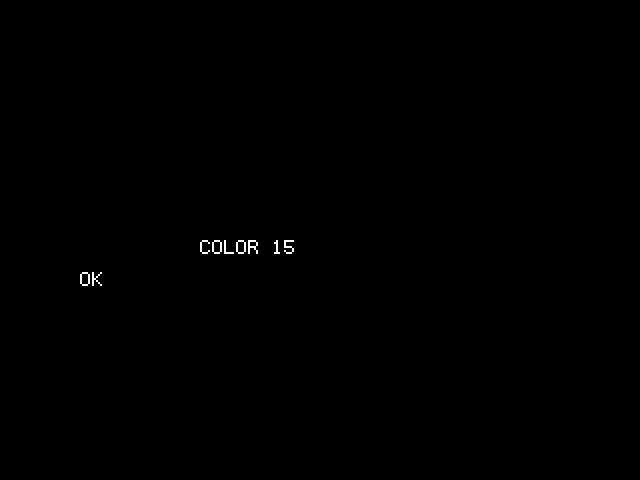
10 COLOR 15, 0 : CLS
20 FOR C = 1 TO 15
30 COLOR C, 0
40 LOCATE 12, 10
50 PRINT "COLOR"; C; "  "
60 SOUND 1, 200 + C * 40, 10
70 NEXT C
Fifteen colors and fifteen rising notes, in one loop. The " " on the end of line 50 is there to wipe the tail of the previous, longer number — a trick worth remembering, because nothing erases itself.
Animation
Nothing on this screen moves on its own. You draw the thing, wait, draw a space over it, and draw it one column along:
10 CLS
20 X = 1
30 D = 1
40 FOR T = 1 TO 40
50 LOCATE 12, X
60 PRINT "O";
70 PAUSE 3
80 LOCATE 12, X
90 PRINT " ";
100 X = X + D
110 IF X > 38 THEN D = -1
120 IF X < 1 THEN D = 1
130 NEXT T
140 LOCATE 12, X
150 PRINT "O";
That's the whole of two-dimensional animation on a text screen. PAUSE 3 is what stops it being a blur — PAUSE counts in hundredths of a second, same as SOUND.
Making it smoother
The O flickers a little because it's erased before it's redrawn. Draw the new position first and erase the old one second and it steadies up considerably.
What you can't draw
PRINT on the ACE's screen shows the ordinary printable characters — letters, digits, punctuation. Character codes above 126 don't appear, so the box-drawing and block characters in the machine's character set aren't reachable this way. Build pictures out of *, #, . and O, the way the arcade did for years before anyone had a sprite — or put the character on the screen yourself, with VPOKE. After a CLS, the screen's top row is addresses 0 to 39 of the video card's memory, so VPOKE 0, 201 puts the corner of a double-lined box in the top left. Graphics is the chapter about that memory.