

First power-on
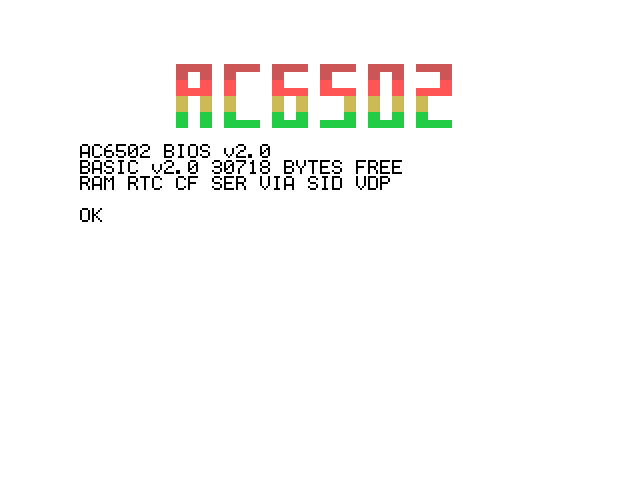
Switch it on. You'll hear a short beep, the AC6502 logo appears at the top of the screen in color, and under it:
AC6502 BIOS v2.0
BASIC v2.0 30718 BYTES FREE
RAM RTC CF SER VIA SID VDP

OK
That's BASIC, ready for you. There's no menu to wait through and nothing to press first: the machine goes straight from the switch to the prompt in well under a second.
The machine below starts cold, exactly as if you'd reached for the switch. Click it before you type, or your keys go to this page instead.
A splash screen and a countdown instead?
Then the machine has the older video card and BIOS 1.6, which boot into a menu rather than straight into BASIC. That machine has a guide of its own: the BIOS 1.6 edition.
The three lines
AC6502 BIOS v2.0 is the version of the ROM — the Kernal, BASIC and everything else the machine knows how to do before you've typed a thing.
BASIC v2.0 30718 BYTES FREE is how much room your programs have. It's about thirty kilobytes, which in BASIC is a lot: a substantial game fits in half of it.
RAM RTC CF SER VIA SID VDP is the machine telling you what it found. It looks for each of its cards as it starts, and names the ones that answered:
| Name | What it found |
|---|---|
RAM | The extra banked RAM |
RTC | The clock, and the memory that survives the power going off |
CF | The CompactFlash adapter |
SER | The serial port |
VIA | The chip behind the joysticks and the keyboard |
SID | The sound chip |
VDP | The video card |
An ACE has all seven. A name that's missing is a part the machine couldn't find, which makes this line the first thing to look at when something isn't working — see When something's wrong.
Two lines, one version
The top line is the ROM's version: the BIOS is v2.0. The BASIC v2.0 at the start of the second line is a nod to the BASIC V2 of the classic 8-bit machines rather than a second release number, so it will stay put when the BIOS moves on.
What it does before the prompt
In the moment before the header appeared, the ACE checked itself over: is there a video card, is a sound chip fitted, is there a memory card in the slot, is the clock running. Then it set up whatever it found, beeped, and handed over to BASIC, which drew the logo and the header.
That check is why the machine doesn't sulk when something's missing. No sound chip and the beep is simply skipped. No memory card and the disk commands say so politely instead of hanging. No video card at all and the whole console moves over to the serial port — the same header, without the logo — so a laptop and a USB-to-serial cable is a complete way to use the machine.
The one thing it can't work around: with neither a screen nor a serial connection there's nowhere to put the prompt, so it stops rather than running blind. If you're seeing nothing at all, that's the first thing to check.
The OK prompt
OK is the machine saying your turn. Anything you type now gets read when you press Enter. There's no shell, no file manager, no desktop — this prompt is the computer.
Reset, and the power switch
The reset button starts BASIC again from the top: the logo and the header come back, and so does your program. Type LIST and it's still there. Its variables aren't — they start from nothing again, as they do when you type RUN.
The power switch is the clean slate. Memory forgets everything when the power goes, so the machine comes back with nothing in it at all.
Try it
You're at the prompt. Type this:
PRINT 12 * 12 144
OKThe machine is a calculator, among other things. Now go on to Your first ten minutes and make it do something bigger.