

Sound and video
The ACE has three voices of SID sound and a 40×24 screen where every character has colors of its own. Here is how to reach both from BASIC.
Making a noise
Two statements. VOL sets the volume, 0 to 15. SOUND plays a note:
VOL 15
SOUND 1, 440, 50
SOUND voice, frequency, length — the voice is 1, 2 or 3 (there are three, and they're independent), the frequency is in hertz, and the length is in hundredths of a second. So that line plays a concert A for half a second. SOUND waits for the note to finish before the program moves on.
Here's a scale:
10 VOL 15
20 FOR N = 1 TO 8
30 READ F
40 PRINT "NOTE"; N
50 SOUND 1, F, 20
60 NEXT N
70 DATA 262, 294, 330, 349, 392, 440, 494, 523
RUN
NOTE 1
NOTE 2
NOTE 3
NOTE 4
NOTE 5
NOTE 6
NOTE 7
NOTE 8
OKDATA holds the eight frequencies; READ takes the next one each time through the loop. Change the numbers and you change the tune.
Some useful frequencies
Middle C is 262. Each octave up doubles the number, so the C above is 523 and the one below is 131. The notes in between, going up from middle C: 262, 294, 330, 349, 392, 440, 494, 523.
What's actually making the sound
An ARMSID — a modern, pin-compatible remake of the MOS 6581, the chip that gave the Commodore 64 its distinctive voice. Three oscillators, four waveforms each, proper envelopes and a filter. SOUND and VOL only scratch it; the whole register set is available to assembly programs and to POKE.
Drawing on the screen
The screen is 40 columns by 24 rows of characters, in any of 16 colors. Three statements:
CLSclears it.LOCATE row, columnmoves the cursor.COLOR foreground, backgroundsets the colors for what is printed next, each number from 0 to 15. What is already on the screen keeps its own, andCLSfills the whole screen with the new pair. The border around the text follows the background, unless a third number gives it one of its own — and a border set that way stays put until you change it again:
| # | Name | |
|---|---|---|
0 | Transparent | |
1 | Black | |
2 | Medium green | |
3 | Light green | |
4 | Dark blue | |
5 | Light blue | |
6 | Dark red | |
7 | Cyan | |
8 | Medium red | |
9 | Light red | |
10 | Dark yellow | |
11 | Light yellow | |
12 | Dark green | |
13 | Magenta | |
14 | Gray | |
15 | White |
0 and 1 look the same — text mode draws color 0 as black. In a graphics layer, 0 is usually transparent instead.
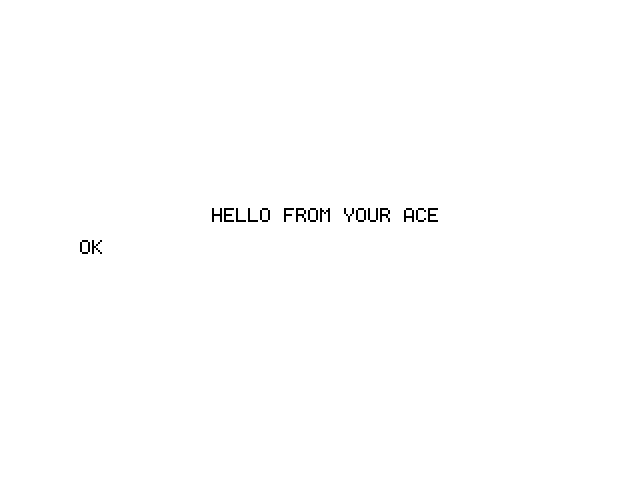
10 CLS
20 COLOR 1, 15
30 LOCATE 10, 11
40 PRINT "HELLO FROM THE ACE"
RUN that and you get a line of text in the middle of an empty screen, dark on light.
Both at once
Sound and screen together, which is where things start to feel like a computer from 1983:
10 COLOR 15, 0 : CLS
20 FOR C = 1 TO 15
30 COLOR C, 0
40 LOCATE 12, 10
50 PRINT "COLOR"; C; "  "
60 SOUND 1, 200 + C * 40, 10
70 NEXT C
Fifteen colors, fifteen notes, one loop. Line 40 puts the cursor back in the same place every time through, so the word stays put and only its color changes.
The character set
The ACE draws with CP437 — the character set from the original IBM PC. As well as letters and numbers there are box-drawing characters, arrows, card suits and shaded blocks in the upper half of the set, which between them are enough to build a surprisingly good-looking game.
You can't reach them from PRINT, though. The screen takes ordinary printable characters and a couple of control codes (a new line, a bell) and quietly drops everything else, so PRINT CHR$(219) prints nothing at all. Drawing with the box characters means going through the Kernal's raw output routine, which is an assembly-language job rather than a BASIC one.
Next
- Storage — keep the programs you write.
- Your first ten minutes — if you skipped ahead and want the basics.