

Your first ten minutes
You're at the OK prompt. Everything below gets typed there, one line at a time, Enter after each. Nothing to install, nothing to load.
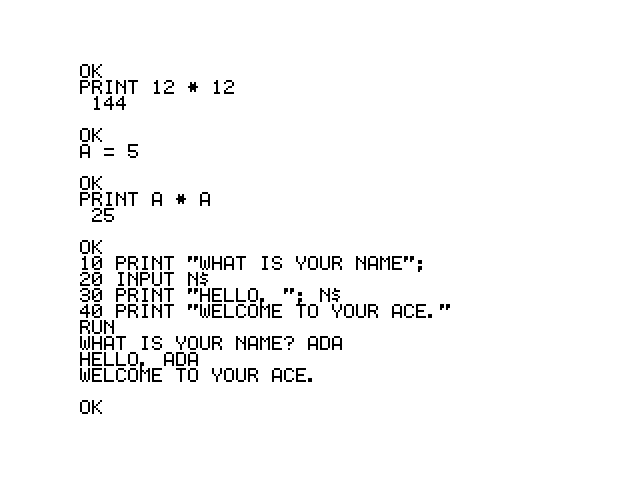
Or use this one. It's a whole ACE, and everything in this chapter works on it exactly as it does on the board.
Doing math
Type a line starting with PRINT and BASIC works it out and shows you:
PRINT 12 * 12
 144

OK
PRINT 10 / 3
3.33333333
OKUse * for multiply and / for divide — there are no × or ÷ keys. Parentheses work the way you'd hope, and so does the usual precedence:
PRINT 2 + 2 * 3
 8

OK
That leading space
144 came back as 144, with a space in front. BASIC always leaves room for a minus sign, so positive numbers look indented and negative ones line up underneath them. It's not a bug and you'll stop noticing it in about a day.
Remembering things
A variable is a name that holds a value. Names are a single letter, and a letter with a $ after it holds text instead of a number:
A = 5
PRINT A * A
 25

OK
N$ = "ADA"
PRINT "HELLO, "; N$
HELLO, ADA
OKThe ; glues the two pieces together with nothing in between. Use , instead and BASIC spaces them out into columns.
Your first program
So far every line has run the moment you pressed Enter. Put a line number in front and BASIC stores the line instead of running it:
10 PRINT "WHAT IS YOUR NAME";
20 INPUT N$
30 PRINT "HELLO, "; N$
40 PRINT "WELCOME TO THE ACE."
Type those four lines. Nothing appears to happen — that's right, the program is being remembered, not run. Now type RUN:
RUN
WHAT IS YOUR NAME? ADA
HELLO, ADA
WELCOME TO THE ACE.

OK
Line 10 asks the question. The ; on the end of it keeps the cursor on the same line, which is why the ? from INPUT lands right after it. Line 20 waits for you to type something and puts it in N$. Lines 30 and 40 say hello.
The numbers are how BASIC knows what order to run things in — and they go up in tens so you've got room to slip a line in later. RUN it again; it does the same thing, every time.
LIST, RUN, NEW
Three commands you'll use constantly:
LISTshows you the program you've got.RUNruns it from the top.NEWthrows it away and starts fresh. There's no undo, soLISTfirst if you're not sure.
LIST
10 PRINT "WHAT IS YOUR NAME";
20 INPUT N$
30 PRINT "HELLO, "; N$
40 PRINT "WELCOME TO THE ACE."

OK
To change a line, just type it again with the same number — the new one replaces the old. To delete a line, type its number on its own.
Making it repeat
NEW, then type this one in:
10 PRINT "THE SEVEN TIMES TABLE"
20 FOR N = 1 TO 12
30 PRINT N; " X 7 ="; N * 7
40 NEXT N
RUN
THE SEVEN TIMES TABLE
1 X 7 = 7
2 X 7 = 14
3 X 7 = 21
4 X 7 = 28
5 X 7 = 35
6 X 7 = 42
7 X 7 = 49
8 X 7 = 56
9 X 7 = 63
10 X 7 = 70
11 X 7 = 77
12 X 7 = 84
OKFOR N = 1 TO 12 and NEXT N are a loop: everything between them happens twelve times, with N counting up as it goes. Change the 7 in line 30 to whatever you like and RUN it again.
Stopping a runaway program
Now the important one. Type:
10 PRINT "HELLO"
20 GOTO 10
GOTO 10 sends BASIC back to line 10, which prints, which sends it back to line 10, forever. RUN it and watch HELLO fill the screen and keep going.
Press Esc.
HELLO
HELLO
HELLO
...
BREAK IN 10

OK
That's your prompt back. BREAK IN 10 just names the line it was on when you interrupted it.
Esc is the one to remember — it's how you get out of anything. Nothing is lost: LIST shows the program is still there, and CONT picks it up again where it stopped.
Ctrl+C works too
Ctrl+C does exactly the same thing, which is handy if you're driving the machine from a terminal program where Esc means something to the terminal itself.
Ten minutes, done
You've done math, stored a value, written a program, made it loop, and stopped it. That's most of what programming is.
Where next:
- Sound and video — make it play a tune and draw on the screen.
- Storage — save that program so it's still there tomorrow.
- The keyboard — the rest of the keys that do something.